5 Best iPad Pencils in India 2026: From Apple to Budget Alternatives
Apple Pencil is great, but it’s not the only option anymore. In 2026, you have plenty of choices – from official Apple styluses that cost around ₹12,000 to third-party alternatives under ₹2,000 that work surprisingly well.
I’ve tested and researched the best options available in India right now. Whether you’re a student taking notes, an artist drawing in Procreate, or someone who just wants a basic stylus for marking PDFs, there’s something here for you.
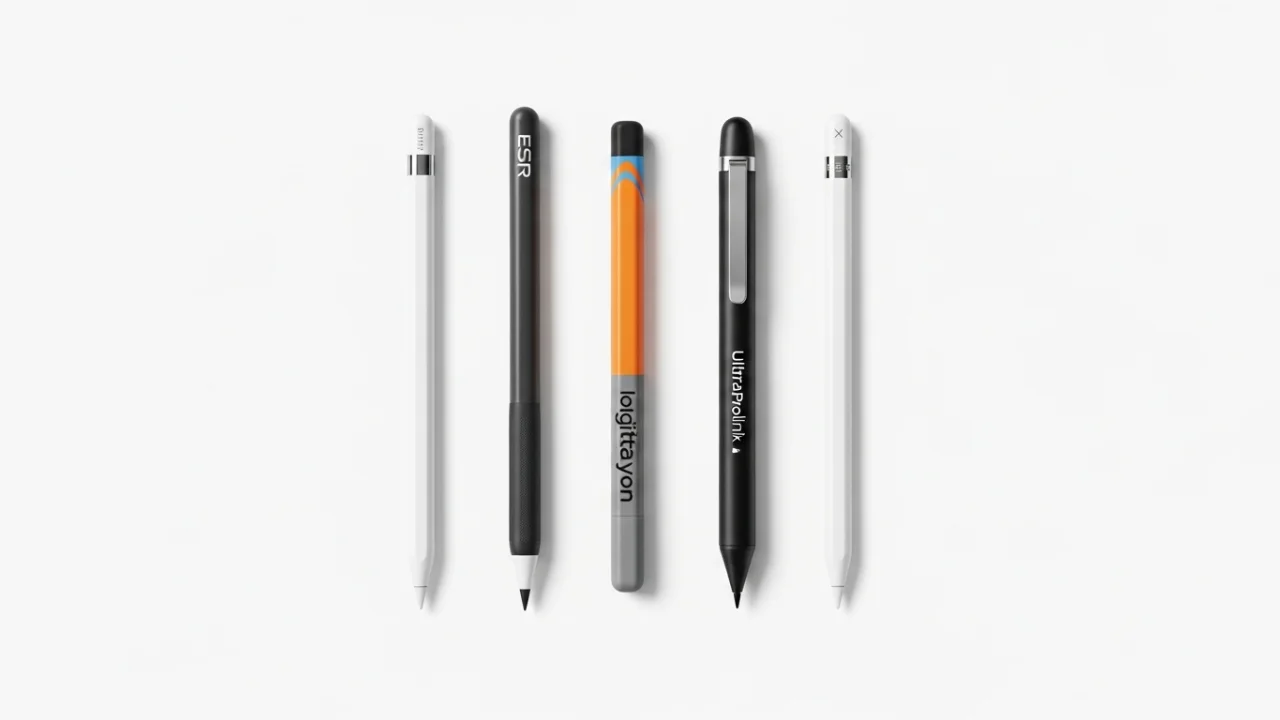
Let’s look at the 5 best iPad pencils you can buy in India in 2026.
Quick Comparison: 5 Best iPad Pencils
| Pencil | Price (India) | Pressure Sensitivity | Tilt Support | Best For |
|---|---|---|---|---|
| Apple Pencil 2 | ~₹11,900 | Yes | Yes | Artists, professionals |
| ESR Geo Digital | ~₹2,999 | No | Yes | Budget users, students |
| Logitech Crayon | ~₹5,900 | No | Yes | Schools, beginners |
| UltraProlink Jot Pencil 2 | ₹1,600 | No | No | Universal use, multi-device |
| Xisheng Pencil X (Charging Dock) | ~₹2,499 | No | Yes | Daily heavy users |
1. Apple Pencil 2 – Best for Artists & Professionals
The Apple Pencil 2 remains the gold standard for serious iPad users. If you’re a digital artist, graphic designer, or someone who needs precise pressure sensitivity for drawing, this is the one to get.
Key features:
-
Pressure sensitivity – Varies line thickness based on how hard you press. Essential for natural drawing in apps like Procreate and Photoshop
-
Tilt support – Shade and create thick strokes by tilting the pencil
-
Wireless charging – Magnetically attaches to the side of your iPad and charges automatically
-
Double-tap gesture – Customizable shortcut to switch between tools
-
Palm rejection – Rest your hand on the screen while writing without interference
Compatibility: iPad Pro 11/12.9-inch (1st to 4th gen), iPad Air 4th/5th gen, iPad mini 6th gen
Who should buy: Artists, designers, students who need precise drawing capabilities, anyone who uses their iPad professionally.
Price: Around ₹11,900 – expensive, but worth it if you rely on pressure sensitivity.
2. ESR Geo Digital – Best Budget Alternative with Tilt Support
The ESR Geo Digital is a fantastic alternative that costs about one-fourth the price of Apple Pencil 2. ZDNET’s expert called it “the best Apple alternative with Find My” .
Key features:
-
Tilt sensitivity – Shade and vary line thickness by tilting the pen
-
Find My support – Bluetooth tracking to locate your stylus if you lose it
-
Magnetic attachment – Snaps to the side of your iPad (but no wireless charging)
-
Custom shortcuts – Double-tap to access task manager, single-tap to return to home screen
What it lacks: No pressure sensitivity. That means you won’t get natural line variation based on how hard you press. Good for notes, but not ideal for serious art .
Compatibility: All iPads after 2018 .
Who should buy: Students, note-takers, casual users who want a good stylus without spending ₹12,000. Also great as a backup pencil.
Price: Approximately ₹2,999.
3. Logitech Crayon – Best for Education & Beginners
The Logitech Crayon is unique – it’s built using Apple Pencil technology and is sold on Apple’s website. ZDNET’s reviewer noted it has “a reassuring grip compared to the Apple Pencil” .
Key features:
-
Apple Pencil technology – Works with hundreds of Apple Pencil-supported apps
-
Tilt sensitivity – Dynamically adjusts line weight depending on angle
-
Flat design – More comfortable grip than the round Apple Pencil
What it lacks: No pressure sensitivity. Like the ESR, you won’t get natural line thickness variation for drawing .
Compatibility: All iPads from 2018 onwards – iPad 6th-11th gen, iPad Air 3rd-5th gen, iPad Pro models, iPad mini 5th/6th gen .
Who should buy: Schools, students, beginners, anyone who wants a durable, simple stylus that just works.
Price: Around ₹5,900.
4. UltraProlink Jot Pencil 2 – Best Universal Stylus
This is the most affordable option on the list at just ₹1,600. The Indian Express tested it and found it “works with any smartphone or tablet, even a decade-old iPad Air” .
Key features:
-
Universal compatibility – Works with iPads, Android tablets, iPhones, and even old devices
-
No Bluetooth needed – Just press the power button and use it
-
Magnetic attachment – Snaps to the side of your iPad for storage
What it lacks: No pressure sensitivity, no tilt support, no palm rejection (depends more on your device/app) .
Compatibility: Works with most modern smartphones and tablets. Tested with Pixel 10 Pro XL, iPad Air, Nothing Phone (3), OnePlus Tablet, and a decade-old iPad Air .
Who should buy: Students on a tight budget, people who use multiple devices, anyone who just needs a basic stylus for note-taking and PDF marking.
5. Xisheng Pencil X (with Charging Dock) – Best for Daily Heavy Users
The Xisheng Pencil X has been gaining popularity in 2026 for one simple reason – the charging dock. If you use your stylus for hours every day, this is a game-changer .
Key features:
-
Magnetic charging dock – Keeps the pencil always charged and ready
-
Total battery with dock – Around 30 hours (pencil itself ~10 hours, dock provides 2-3 full charges)
-
Custom shortcuts – 24 programmable functions via tap gestures
What it lacks: No pressure sensitivity. But for note-taking, PDF markup, and light sketching, it’s excellent .
Compatibility: All iPads with USB-C (2018 and later) .
Who should buy: Students, teachers, office workers who use their iPad for hours every day and hate running out of battery.
Price: Around ₹2,499.
Full Specifications Comparison Table
| Feature | Apple Pencil 2 | ESR Geo Digital | Logitech Crayon | UltraProlink Jot 2 | Xisheng Pencil X |
|---|---|---|---|---|---|
| Pressure Sensitivity | Yes | No | No | No | No |
| Tilt Support | Yes | Yes | ✅ Yes | No | Yes |
| Palm Rejection | Yes | Yes | Yes | Depends on app | Yes |
| Wireless Charging | Yes (magnetic) | No | No | No | No |
| Charging Method | Magnetic | USB-C | USB-C/Lightning | USB-C | Charging Dock + USB-C |
| Battery Life | 12 hours | 12 hours | 7.5 hours | 10 hours | 10 hours + dock |
| Compatibility | Select iPads | All iPads 2018+ | All iPads 2018+ | All touch devices | All iPads 2018+ |
| Price (India) | ~₹11,900 | ~₹2,999 | ~₹5,900 | ₹1,600 | ~₹2,499 |
PROS AND CONS: Top Picks
| Pencil | Pros | Cons |
|---|---|---|
| Apple Pencil 2 | Pressure sensitivity, wireless charging, best precision, tilt support | Expensive, limited compatibility |
| ESR Geo Digital | Affordable, tilt support, Find My tracking, good build | No pressure sensitivity, no wireless charging |
| Logitech Crayon | Apple technology, comfortable flat design, reliable | No pressure sensitivity, shorter battery life |
| UltraProlink Jot 2 | Very affordable, universal compatibility, easy to use | No tilt or pressure, basic features |
| Xisheng Pencil X | Charging dock, tilt support, long total battery | No pressure sensitivity, dock adds bulk |
Expert Opinion: Which iPad Pencil Should You Buy?
Let me break this down simply.
If you’re an artist or serious about drawing: Get the Apple Pencil 2. No question about it. Pressure sensitivity is non-negotiable for digital art – without it, you can’t control line thickness naturally . A forum user summed it up perfectly: “For art, the Apple Pencil is the only way to go” .
If you’re a student taking notes and marking PDFs: Go with the Xisheng Pencil X or ESR Geo Digital. You don’t need pressure sensitivity for notes. The Xisheng’s charging dock is great if you use your iPad all day . The ESR is solid and has Find My support if you tend to lose things .
If you’re on a tight budget: The UltraProlink Jot Pencil 2 at ₹1,600 is a steal. It works with basically any device, battery life is solid, and it’s perfect for basic note-taking . The Indian Express reviewer called it “a winner” for budget-conscious buyers.
If you’re buying for a school or multiple users: The Logitech Crayon is durable, simple to use, and works with any iPad from 2018 onward . No pairing, no fuss – just turn it on and go.
Important Note: The Apple Pencil USB-C version exists, but honestly, it’s not worth it. It costs around ₹6,000 but lacks pressure sensitivity – you’re better off getting an ESR or Xisheng for half the price.
IMPORTANT LINKS
| काम | Link |
|---|---|
| Apple Pencil 2 | Apple India / Amazon / Flipkart |
| ESR Geo Digital | Amazon India |
| Logitech Crayon | Amazon India / Apple Store |
| UltraProlink Jot Pencil 2 | Amazon India |
| Xisheng Pencil X | Amazon India |
CONCLUSION
Finding the right iPad pencil in 2026 comes down to one question: what do you actually need?
-
Need pressure sensitivity for art? Apple Pencil 2 is your only real choice.
-
Need tilt support for shading? ESR Geo Digital or Xisheng Pencil X at half the price.
-
Need something simple and universal? UltraProlink Jot Pencil 2 for just ₹1,600.
-
Need durability and simplicity? Logitech Crayon for schools and beginners.
The good news is that third-party options have improved a lot. You no longer have to spend ₹12,000 just to write on your iPad. For most students and note-takers, the ESR or Xisheng pencils will do everything you need at a fraction of the price.
If you’re an artist, though – don’t compromise. Get the Apple Pencil 2. Pressure sensitivity really matters for drawing, and no third-party pencil offers it yet .
FREQUENTLY ASKED QUESTIONS (FAQ)
1. Kya third-party pencil Apple Pencil jitna accha hai?
Depends on what you need. For note-taking and PDF markup, yes – many third-party pencils work great. Lekin agar aap artist hain aur Procreate mein drawing karte hain, toh Apple Pencil ki pressure sensitivity ka koi alternative nahi hai .
2. Kaunsi iPad pencil best hai note-taking ke liye?
Logitech Crayon, ESR Geo Digital, aur Xisheng Pencil X sabhi badhiya options hain. Xisheng ka charging dock daily use ke liye convenient hai .
3. Kya UltraProlink Jot Pencil 2 iPad Air ke saath kaam karega?
Haan, ye almost sabhi touchscreen devices ke saath kaam karti hai – iPads, Android tablets, iPhones, aur purane iPad models bhi .
4. Tilt sensitivity aur pressure sensitivity mein kya difference hai?
Tilt sensitivity: Jab pen ko angle par rakhte ho, line ki thickness badalti hai (shading ke liye). Pressure sensitivity: Jab pen ko zor se dabate ho, line moti hoti hai. Artists ke liye pressure sensitivity important hai .
5. Kya ESR Geo Digital mein wireless charging hai?
Nahi. Yeh USB-C se charge hoti hai. Magnetic attachment hai par wireless charging nahi .
6. Logitech Crayon kyu alag hai?
Yeh Apple Pencil technology use karti hai aur Apple ke website par bhi milti hai. Flat design comfortable grip deta hai .
7. Kya mere iPad ke saath pressure sensitivity wala koi budget pencil hai?
Nahi, filhaal sirf official Apple Pencil 1, 2, aur Pro mein pressure sensitivity hai. Saari third-party pencils mein ye feature missing hai .
8. Xisheng Pencil X ka charging dock kyun useful hai?
Agar aap din mein 4-5 hours pencil use karte ho, dock pencil ko automatically charge karta hai. Total milake 30 hours ka backup milta hai .
9. Kya Palm rejection third-party pencils mein kaam karta hai?
Haan, most modern third-party pencils like ESR, Logitech, Xisheng mein palm rejection kaam karta hai. UltraProlink Jot 2 mein ye app pe depend karta hai .
10. Kaunsi pencil best hai Procreate drawing ke liye?
Sirf Apple Pencil 2 ya Pro. Pressure sensitivity ke bina natural line thickness possible nahi hai .