
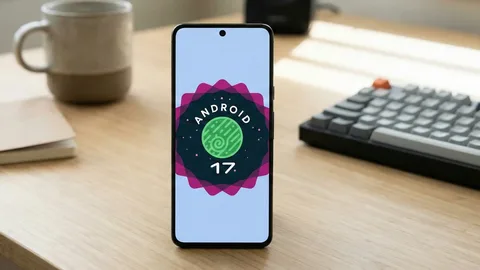
Android 17 is no longer just a future Android update. Google officially released Android 17 on June 16, 2026, with supported Pixel devices receiving the update first. Other eligible Android phones from manufacturers such as Samsung, OnePlus, Xiaomi, OPPO, vivo, realme, HONOR and iQOO are following through their own update programs.
The new version focuses on more than visual changes. Google has introduced improvements to multitasking, gaming, screen recording, privacy, theft protection, app memory management and accessibility. Google is also expanding its AI ambitions with Gemini Intelligence, which brings more proactive assistance to selected Android devices.
So, what exactly is new in Android 17, and which phones can get it?
Let’s take a closer look.
Android 17 Release Date
Google officially released Android 17 on June 16, 2026.
The first wave went to supported Google Pixel smartphones, while other manufacturers are rolling out the update separately. Google says Android 17 will reach other eligible devices throughout 2026.
Unlike Pixel phones, Samsung, Xiaomi, OnePlus, OPPO, vivo and other manufacturers control their own Android update schedules. This means two phones that technically support Android 17 may receive it months apart.
For users waiting for the update, the safest approach is to check the manufacturer’s official software-update page or the Software Update section in the phone’s settings.
What’s New in Android 17?
Android 17 brings several practical improvements. Some are immediately visible, while others operate quietly in the background.
Here are the biggest changes.
1. Bubbles Make Multitasking Easier
One of the most interesting Android 17 features is the expanded Bubbles multitasking system.
Bubbles allow supported apps to become compact floating windows that remain accessible while you’re using another application.
Google says users can long-press an app icon to turn an app into a bubble. On large-screen devices, bubbles can also appear in a dedicated bar at the bottom of the display.
This can be useful when you need information from one app while working in another.
For example, you could keep Maps available while checking a message, or keep notes visible while following a tutorial.
Instead of repeatedly opening and closing applications, Android 17 puts more of your tools within reach.
For foldables and tablets, this could be particularly useful because the larger displays provide more room for multitasking.
2. Better Screen Recording
Android 17 also improves screen recording.
Google has introduced Screen Reactions, allowing users to record themselves reacting to content while simultaneously recording what’s happening on the screen.
This could be particularly useful for:
- YouTube creators
- TikTok creators
- Gaming channels
- Tutorials
- Reaction videos
- Product demonstrations
Instead of recording the screen first and adding your reaction later, Android can combine the two.
For creators, that’s a surprisingly useful upgrade.
3. Better Gaming Performance
Gaming is another area receiving attention in Android 17.
Google says the update includes improvements designed to reduce frame drops and stutters through more efficient memory cleanup.
Android 17 also introduces gaming improvements for foldable phones.
The operating system can optimize the screen layout for gaming, making better use of the larger display.
This matters because foldable phones can behave differently from conventional smartphones. Developers have to account for changing screen dimensions, aspect ratios and folding states.
Android 17 attempts to make that experience smoother.
4. Stronger Theft Protection
Smartphone theft is a major security problem, and Android 17 introduces new protections designed to make stolen devices harder to exploit.
One important feature is an enhanced Mark as lost option in Find Hub.
Google says users can lock a missing phone using biometrics, helping protect the device even if someone knows the passcode.
Android 17 also reduces the number of PIN guesses someone can make and increases the waiting time between failed attempts.
These changes are designed to make brute-force attempts more difficult.
For anyone who stores banking apps, photographs, passwords and personal documents on their phone, this is arguably more important than another shiny animation.
5. Temporary Precise Location Access
Android 17 gives users more control over location permissions.
One new option allows users to grant an application temporary access to precise location information.
This is useful when an app needs your exact location for a specific task but doesn’t need continuous access afterward.
Location information can be highly sensitive, so giving users more control over how long an app can access it is a meaningful privacy improvement.
6. More Control Over Contacts
Android 17 also allows users to share specific contacts instead of automatically giving an application access to their entire address book.
That creates a more granular permission model.
For example, if an application needs contact information for one person, you can provide that specific contact rather than handing over your entire contact list.
It’s a small change, but privacy is often built from small changes stacked together.
7. Better Protection Against Suspicious Apps
Google is also expanding Android’s security systems.
Android 17 improves Live Threat Detection, which can help identify suspicious applications and scams. Google is also strengthening Advanced Protection mode for users who need additional security.
These protections are increasingly important as cybercriminals use AI and increasingly convincing social-engineering techniques.
Android security is becoming more proactive rather than simply waiting for users to report a malicious application.
8. Gemini Intelligence
Perhaps the most futuristic part of Android 17 isn’t a visual feature at all.
It’s Google’s move toward making Android more proactive through Gemini Intelligence.
Google describes Gemini Intelligence as a way for Android devices to perform more complex tasks, summarize web content, simplify form filling and help users accomplish tasks with less manual work.
Google has also demonstrated tools such as Rambler, which can help polish spoken messages, as well as the ability to create customized widgets using natural-language instructions.
These features aren’t necessarily available on every Android 17 phone.
Google says Gemini Intelligence will arrive on selected advanced devices, beginning with select Samsung and Google phones, with broader availability expected later.
This distinction is important:
Android 17 does not mean every Android phone gets every Gemini feature.
Hardware capabilities, manufacturer software and regional availability can all affect what users receive.
9. App Memory Limits
Android 17 introduces changes under the hood that could improve device performance.
Google says Android 17 introduces app memory limits designed to prevent applications from consuming excessive amounts of RAM.
This can help Android remain responsive when multiple applications are running.
The benefit may be most noticeable on devices with limited memory, although software optimization can affect the real-world result.
It could also contribute to better battery efficiency by preventing poorly behaved applications from consuming unnecessary resources.
10. Hide App Names
Android 17 also introduces a small but useful customization option that allows users to hide app names from the home screen.
This can create a cleaner-looking interface, especially for people who use custom launchers or minimalist home-screen layouts.
It isn’t a revolutionary feature, but Android updates don’t need to be revolutionary every year.
Sometimes removing a little visual clutter is enough.
11. Expanded Parental Controls
Android 17 expands parental controls across Android devices.
Google says parental-control features are being expanded so that they can be used across Android devices rather than being limited in scope.
This gives parents more tools to manage how children use smartphones and other Android hardware.
The broader goal is to provide families with better control over:
- Screen time
- App access
- Content
- Device usage
- Online safety
12. Better Assistant Volume Controls
Android 17 adds a dedicated volume control for the assistant.
This may sound minor, but separating assistant volume from other audio controls can make voice interactions easier to manage.
Users can adjust the assistant without necessarily changing media volume.
It’s another example of Android becoming more granular with device controls.
Android 17 Supported Google Pixel Phones
Google’s official Android 17 documentation currently lists the following Pixel devices as supported:
- Pixel 6
- Pixel 6 Pro
- Pixel 6a
- Pixel 7
- Pixel 7 Pro
- Pixel 7a
- Pixel Tablet
- Pixel Fold
- Pixel 8
- Pixel 8 Pro
- Pixel 8a
- Pixel 9
- Pixel 9 Pro
- Pixel 9 Pro XL
- Pixel 9 Pro Fold
- Pixel 9a
- Pixel 10
- Pixel 10 Pro
- Pixel 10 Pro XL
- Pixel 10 Pro Fold
- Pixel 10a
Google’s official developer documentation confirms Android 17 downloads and over-the-air updates for these supported Pixel devices.
The availability of later Android 17 quarterly releases can vary by device and beta/stable channel.
What About Samsung, OnePlus, Xiaomi and Other Android Phones?
Android 17 is not limited to Pixel.
Google’s developer documentation lists Android 17 beta participation from several manufacturers, including:
- HONOR
- iQOO
- Lenovo
- OnePlus
- OPPO
- realme
- Sharp
- vivo
- Xiaomi
However, beta participation does not automatically mean that every phone from those brands will receive the final update.
Manufacturers decide which models qualify based on their own software-support policies.
Samsung, for example, may provide Android 17 through its One UI software rather than delivering Google’s stock Android interface.
Likewise, Xiaomi uses HyperOS, OnePlus uses OxygenOS and other manufacturers add their own software layers.
So when checking whether your phone will receive Android 17, look at the exact model, not just the brand.
Android 17 vs Android 16
Android 17 isn’t simply a cosmetic update.
| Feature | Android 16 | Android 17 |
|---|---|---|
| Multitasking | Improved | Expanded Bubbles |
| Screen recording | Available | Screen Reactions |
| Gaming | Enhanced | Better memory management |
| Theft protection | Existing tools | Enhanced Mark as Lost |
| Location privacy | Permission controls | Temporary precise location |
| Contacts | Permission controls | More selective sharing |
| Threat detection | Available | Expanded protection |
| AI | Gemini integration | Gemini Intelligence expansion |
| Memory management | Standard | New app memory limits |
| Parental controls | Available | Expanded |
| Home screen | Standard customization | Hide app names |
Android 17 therefore focuses heavily on practical usability, security and intelligent assistance rather than simply changing the visual design.
Should You Update to Android 17?
For most users with a supported device, yes.
Major Android updates can include security improvements alongside new features.
The security improvements in Android 17 alone make the update worthwhile, particularly for users who store sensitive information on their phones.
Before updating, however, it’s sensible to:
- Back up important data.
- Make sure your phone has enough free storage.
- Connect to Wi-Fi.
- Charge the battery.
- Check that important banking and work applications are compatible.
If you use your phone for work or business-critical tasks, you may want to wait briefly after a major update and check for any compatibility problems.
How to Check for Android 17
On most Android phones, you can check for an update through:
Settings → System → Software Update
The exact menu can vary depending on the manufacturer.
Pixel users with supported devices can check for Android 17 updates directly through the phone’s system-update settings. Google also provides official Android 17 downloads and documentation for supported Pixel devices.
Android 17 QPR Updates
Android 17 will continue evolving after the initial release.
Google has already begun quarterly platform releases.
As of August 2026, Google is testing Android 17 QPR2, with an August 14, 2026 beta build listed for supported Pixel devices.
This means Android 17 is not a finished story frozen in June.
Google will continue refining the platform through quarterly releases, bug fixes, security improvements and additional features.
Is Android 17 Worth the Upgrade?
For supported devices, Android 17 is a meaningful upgrade.
The most valuable features aren’t necessarily the flashy ones.
Bubbles can improve multitasking.
Screen Reactions can help creators.
Gaming improvements can reduce stutters.
Temporary location permissions give users more privacy control.
Enhanced theft protection can help protect stolen devices.
App memory limits can improve reliability.
And Gemini Intelligence points toward Google’s larger vision of Android becoming a more proactive AI-powered platform.
The update therefore feels less like Android receiving a new coat of paint and more like Google tightening the bolts underneath the machine.
Frequently Asked Questions
When was Android 17 released?
Google officially released Android 17 on June 16, 2026, initially making it available on supported Pixel devices.
Which Pixel phones support Android 17?
Google lists Pixel 6 and newer supported Pixel generations, including the Pixel 6a, Pixel 7 series, Pixel 8 series, Pixel 9 series and Pixel 10 series, along with Pixel Tablet and Pixel Fold.
Will Samsung phones get Android 17?
Eligible Samsung devices are expected to receive Android 17 through Samsung’s software-update program. The exact timing and eligible models depend on Samsung’s rollout schedule.
What is the biggest Android 17 feature?
There isn’t one single winner. Gemini Intelligence, improved theft protection, Bubbles multitasking, Screen Reactions and enhanced gaming are among the most significant additions.
Does Android 17 improve battery life?
Android 17 introduces app memory limits and other under-the-hood improvements that are designed to help device performance and battery efficiency. Actual battery-life improvements will depend on the phone and how it is used.
Can older Android phones get Android 17?
It depends on the manufacturer’s software-support policy. Google officially supports Android 17 on Pixel 6 and newer supported Pixel devices, while other manufacturers determine eligibility for their own phones.
Final Verdict
Android 17 is one of the more practical Android updates in recent years.
Instead of concentrating entirely on visual changes, Google has focused on multitasking, security, privacy, gaming, creator tools and AI.
The biggest highlights include Bubbles, Screen Reactions, improved gaming performance, temporary location permissions, enhanced theft protection, stronger threat detection and Gemini Intelligence.
Pixel owners with compatible devices can already install Android 17, while users with Samsung, OnePlus, Xiaomi, vivo, OPPO, realme and other Android phones will need to wait for their manufacturer’s rollout.
If your phone is eligible, Android 17 is worth installing once the stable update becomes available for your model.
And if your phone isn’t getting Android 17, it may be time to start looking at the upgrade list. Your trusty old Android handset may still have some mileage left, but the software train has already left the station. 📱🚂